



Browsing Category
Scripting & Automation
18 posts

Bulk Move Active Directory Computer Accounts to a New OU Using PowerShell
Active Directory estates change all the time. You might be: moving devices into a new OU for a…

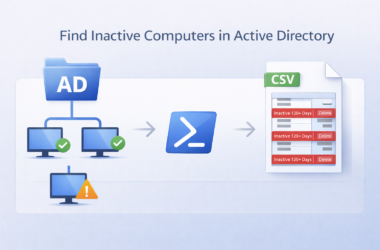
Find and Clean Up Inactive Computers in Active Directory with PowerShell
Active Directory becomes cluttered very quickly. Laptops get replaced, devices are rebuilt, users leave the business, but the…
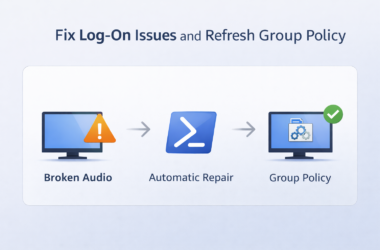
Fix Windows Log-On Issues by Repairing Critical Services and Forcing Group Policy
Windows log-on problems are often caused by important background services being disabled or stuck. When this happens, users…

Fix Windows Audio & Chrome Call Issues with One PowerShell Script
If you support users who rely on headsets for Teams, Zoom or browser-based call systems, you will know…

Bulk Add Windows Autopilot Devices to Entra ID Groups Using Only Serial Numbers
If you manage Windows Autopilot at scale, you will know how painful it is trying to add devices…

Spreading Christmas Cheer with PowerShell
Spreading Christmas Cheer with PowerShell Most people use PowerShell for automation, reporting, or fixing things that are broken.…
How to Find Computers with a Specific SPN in Active Directory Using PowerShell
Introduction When managing Active Directory environments, you may need to locate computers registered with a specific Service Principal…
List of ms-settings URI commands to open specific settings in Windows 10
How to use the URI commands Here some different examples for using ms-setting commands: Press Win+R to open…
Auto Run PowerShell Script with Task Scheduler
Automation is king in today’s dynamic IT environments. Running PowerShell scripts with Task Scheduler is a vital skill set, particularly beneficial for system administrators to automate repetitive tasks and bolster efficiency with Windows Servers and clients. What is Task Scheduler? Task Scheduler is a built-in tool within the Microsoft Windows environment designed to simplify the
PowerShell Startup Scripts Using GPO
Windows Group Policy allows you to run various script files at a computer startup/shutdown or during user logon/logoff. You can use GPOs not only to run classic batch logon scripts on domain computers (.bat, .cmd, .vbs), but also to execute PowerShell scripts (.ps1) during Startup/Shutdown/Logon/Logoff.In modern versions of Windows, you can directly run logon/logoff PowerShell